Production-grade clipping for live streams.
Built by people who run live shows. Mark the moment as it happens, or grab the last 30 seconds, and get a captioned, vertical clip out while chat is still talking about it.
Free during open beta. No card.
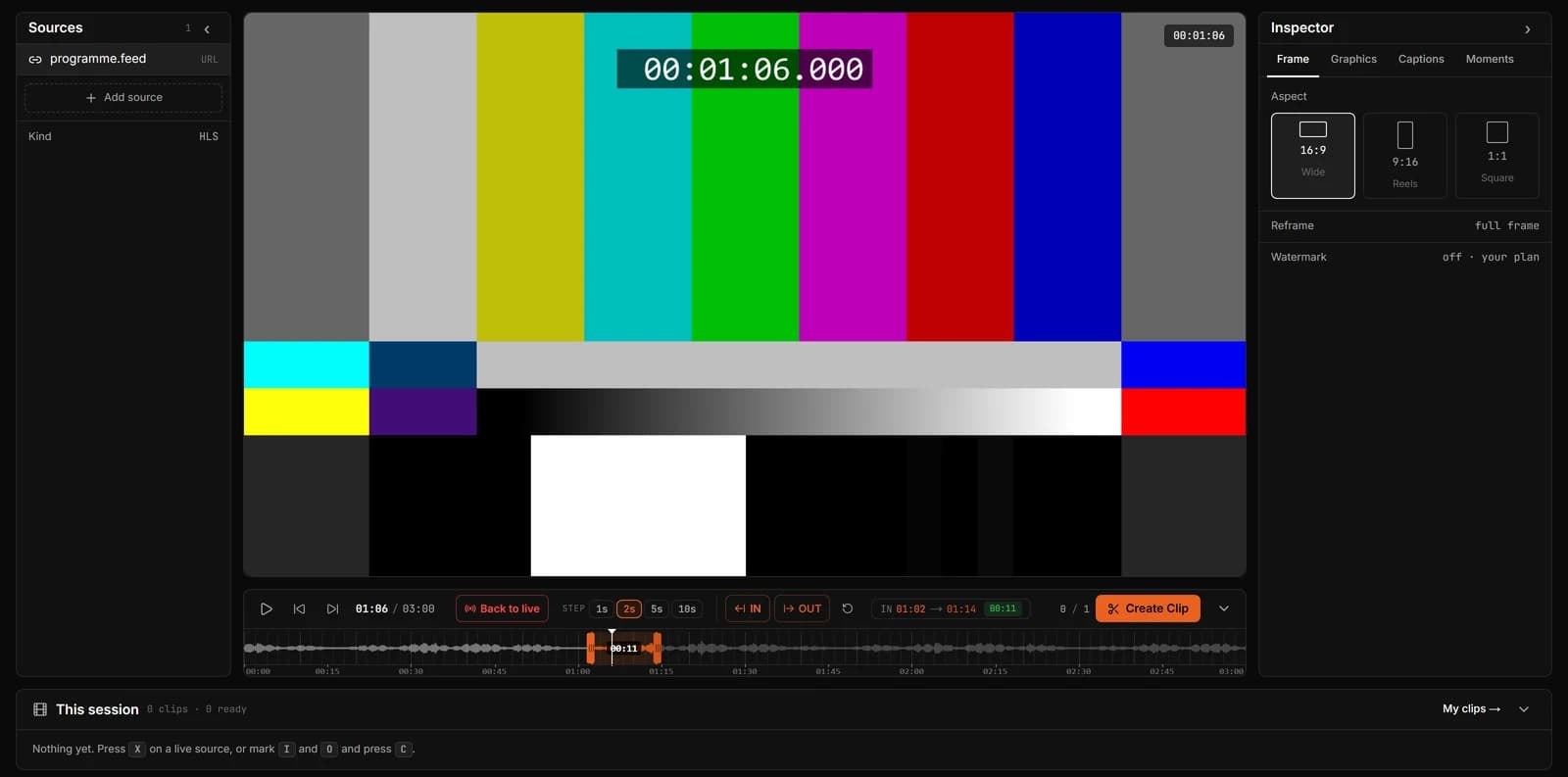
How it works
- Step 1
Bring the stream in
Paste a Twitch or Kick live link, share a browser tab, or send your feed from OBS or vMix with your own stream key.
- Step 2
Mark the moment
Press I and O on the waveform, X for the last 30 seconds, or a Stream Deck key. Your eyes stay on the stream.
- Step 3
Finish it
Captions, auto-frame for 9:16, and your graphics on top. Ready in seconds, not after the show.
- Step 4
Get it out
Download the MP4 or share the link while chat is still talking about it.

The timeline shows the stream’s sound, with In and Out around the moment.
Production-grade, in practice.
A live moment is worth most in the minutes after it happens. Every part of ClipLive is built to get it out in those minutes, without a mistake.
In and Out on the waveform
Mark on the stream’s sound, so you find the moment by ear and by eye, not by scrubbing.
Hotkeys and Stream Deck
Every action has a key. Clip without looking away from the stream.
Clip Last knows your delay
It accounts for how far behind live you were watching, so the clip holds what you saw.
Vertical that keeps the subject
Auto-frame follows the speaker’s face into 9:16. Move the crop when you want to.
Captions for muted feeds
Most short video plays on mute. Captions go on in the same pass.
Keyboard first.
Clipping is timing. Every action has a key, so your eyes stay on the stream.
- IMark in
- OMark out
- XClip the last 30 s
- CCreate the clip
- SpacePlay or pause
- ← →Step back or forward
Who uses it
Questions
Is ClipLive free?
Yes, during the open beta: sign up and clip with Pro features, no card. You can also make one clip on the clip page without an account.
Which streams can I clip?
Twitch and Kick live links, any HLS (.m3u8) link, your own stream sent from OBS, vMix or a hardware encoder with a ClipLive stream key, and anything playing in a browser tab you share (Chrome or Edge on a computer), YouTube Live included. Video files up to 500 MB and 10 minutes work too.
Does it touch my programme output?
No. ClipLive takes its own copy: a live link, or a separate RTMP output from your encoder. Your programme feed and your stream to the platform are not changed.
Can I clip someone else’s stream?
You can clip any live link you can watch. Only post clips you have the right to share, and follow the creator’s and the platform’s rules on reposting.
What is Clip Last?
On a live stream, pasted as a link or sent with a key, pressing X captures the last 15, 30 or 60 seconds as a clip. It accounts for how far behind live you were watching, so the clip holds what you saw.
Which sizes can I export?
9:16 for Shorts, TikTok and Reels, 1:1 for feeds, and 16:9 for YouTube and X. Auto-frame keeps the subject in the vertical crop, and you can move the crop yourself.
Paid plans from $12 a month after the beta. See pricing
Clip the next moment while it is live.
Free during open beta. No card.