How to clip a Twitch stream while it is live
The quickest way is to clip the live stream itself: paste the channel link, mark the moment, export vertical. Here are the three common methods and when each one makes sense.
Streaming yourself? Clip from OBS with a stream key
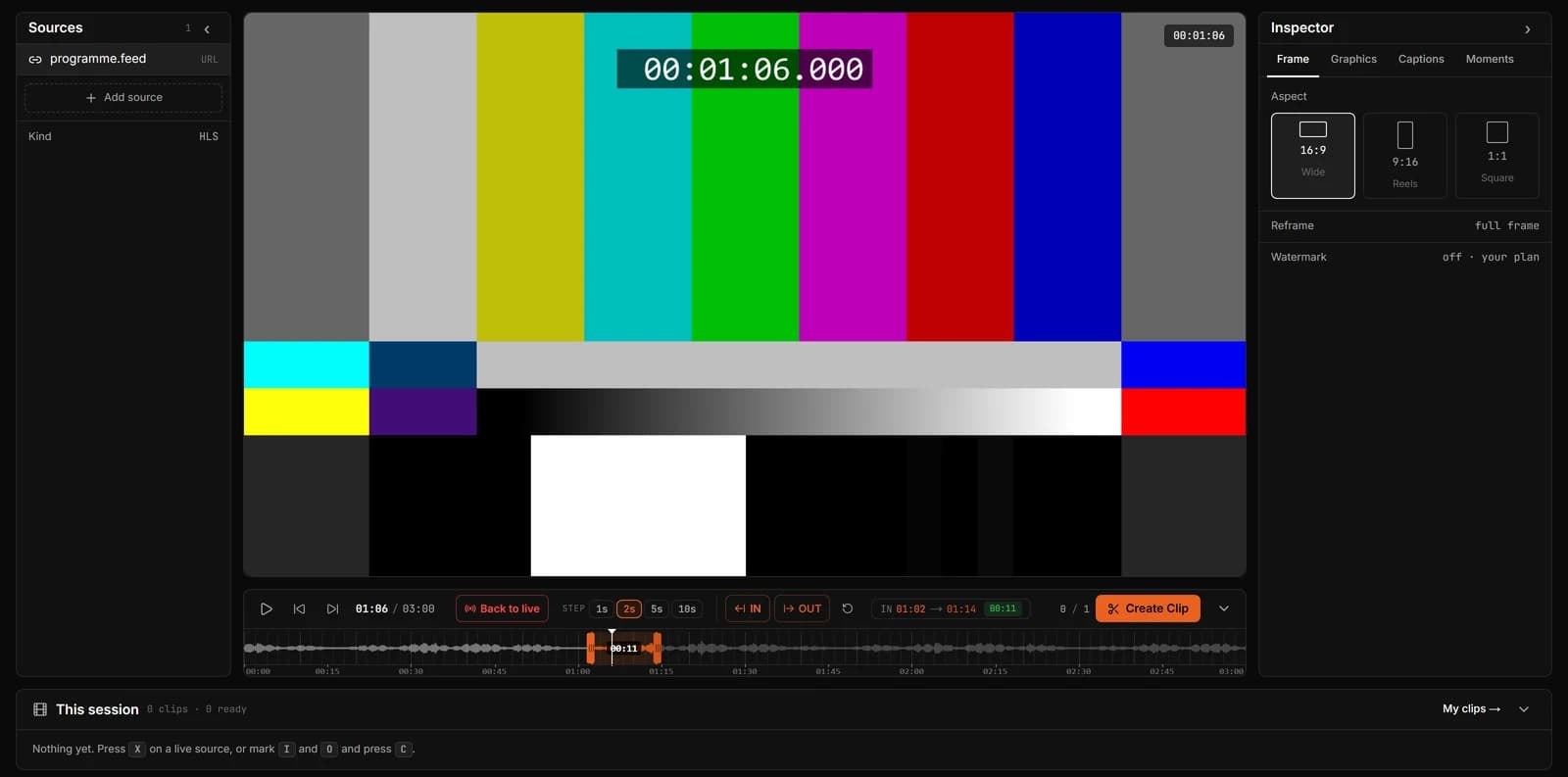
Clip a live Twitch stream with ClipLive
- Step 1
Open the stream in ClipLive
Copy the channel link (twitch.tv/name) while the channel is live and paste it into ClipLive. The stream starts playing in the workspace.
- Step 2
Set In and Out
Press I where the moment starts and O where it ends. The waveform shows loud moments. To take what just happened, press X for the last 30 seconds.
- Step 3
Choose the frame and create the clip
Choose 9:16 for TikTok and Shorts, move the crop onto the subject, and press C. Download the MP4 when it is ready.
Method 1: the Twitch clip button
Twitch’s own clip button saves up to 60 seconds from the live stream. It is quick, but the clip stays in 16:9 on Twitch, so for TikTok or Shorts you still need to download it and reframe it somewhere else.
Method 2: from the VOD
If the channel saves past broadcasts, you can download the VOD after the stream and cut it in an editor. It gives you full control, but the moment is hours old by the time it is posted.
Method 3: live, in the browser
ClipLive plays the live stream with a waveform timeline and exports vertical clips directly, so the clip is ready while the stream is still running. It works for any live channel link.
Questions
Can I clip a Twitch stream I do not own?
Technically yes, from any live channel link. Only post clips you have the right to share, and respect the streamer’s wishes and Twitch’s terms.
How long can the clip be?
Twitch’s button allows up to 60 seconds. ClipLive allows 60 seconds free, 5 minutes on Starter and 10 minutes on Pro.
How do I make it vertical?
In ClipLive choose 9:16 before creating the clip and move the crop to the part of the frame you want.
Clip the next Twitch moment while it is live.
Streaming yourself? Clip from OBS with a stream key