Turn a YouTube Live moment into a Short while you are still live.
Share the tab the YouTube Live plays in, or send your own feed with a stream key. Mark In and Out, or grab the last 30 seconds. Export 9:16 for Shorts and post it before the stream ends.
Streaming yourself? Clip from OBS with a stream key
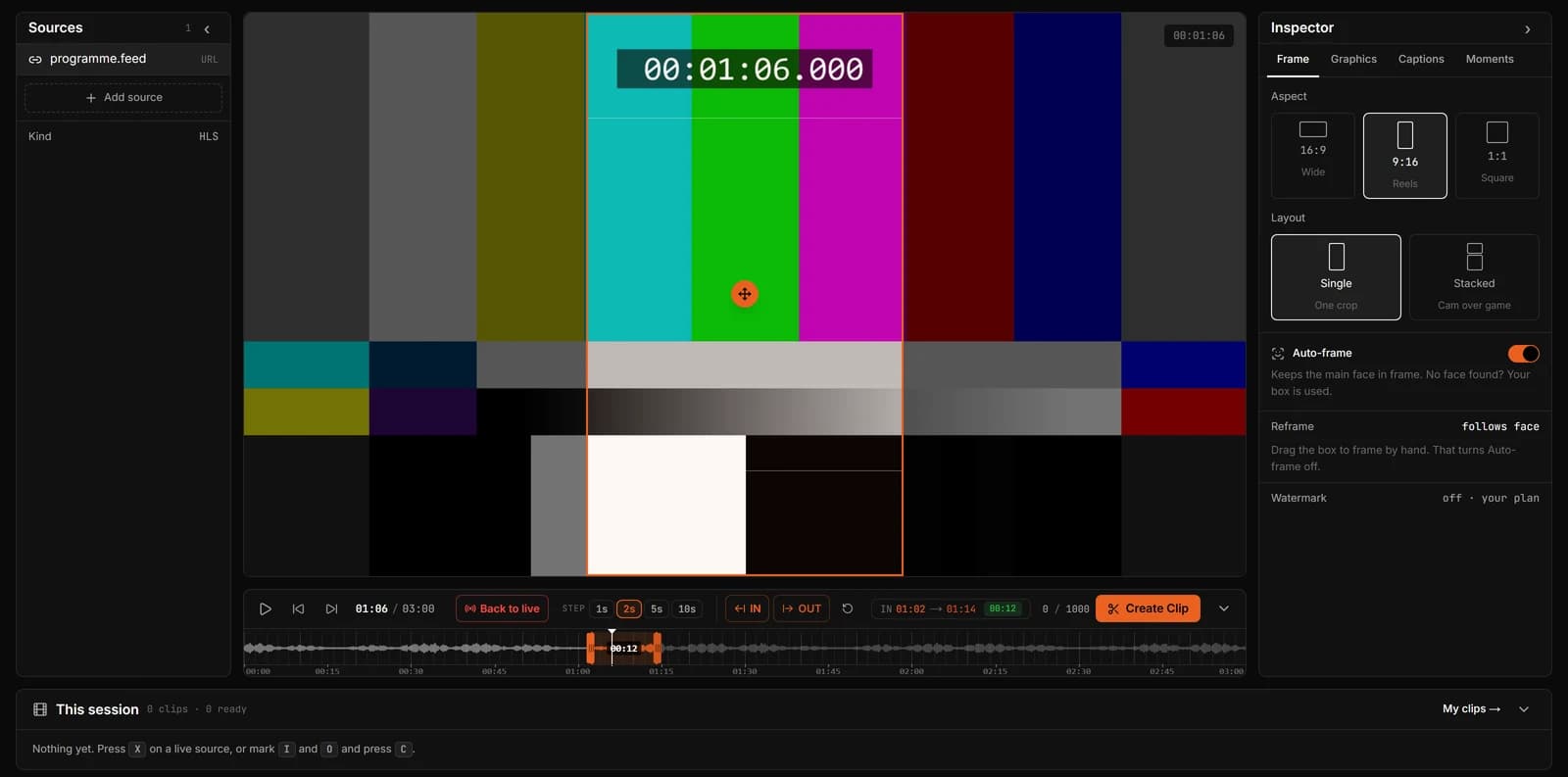
From YouTube Live to a Short
- Step 1
Bring the stream in
Open the YouTube Live in Chrome or Edge on a computer and share that tab with ClipLive, ticking Share audio. Streaming it yourself? Send the same feed from OBS with a ClipLive stream key.
- Step 2
Mark or capture
Press I and O on the moment, or X for the last 15, 30 or 60 seconds.
- Step 3
Export vertical
Choose 9:16, slide the crop to the subject, create the clip and download the MP4 for Shorts.
Built for streams, not uploads
Most clip tools start from a finished video. A live stream has no finished video yet. ClipLive works on the stream itself, so a Short can go up while viewers are still arriving.
If you stream to YouTube with OBS, send the same feed to ClipLive with a stream key and clip it with the lowest delay.
YouTube currently blocks automated readers from our servers, so a pasted YouTube link does not open. Sharing the tab works around that: the picture stays on your computer, and only the seconds you clip are sent.
Questions
Can I paste a YouTube Live link?
Not right now: YouTube blocks automated readers from our servers. Share the tab instead, or send your feed with a stream key. Twitch and Kick links paste as normal.
Does it work with finished streams?
ClipLive is built for live streams. For a finished stream, upload the file, up to 500 MB and 10 minutes.
What sizes can I export?
9:16 for Shorts, 1:1 and 16:9. The same In and Out works for all three.
Clip your next YouTube Live while it is on air.
Streaming yourself? Clip from OBS with a stream key