Twitch clip maker that works while the stream is live.
Paste a twitch.tv channel link. Mark the moment with I and O, or press X to grab the last 30 seconds. Export 9:16 for TikTok, Shorts and Reels in seconds. Free, and the first clip needs no account.
Streaming yourself? Clip from OBS with a stream key
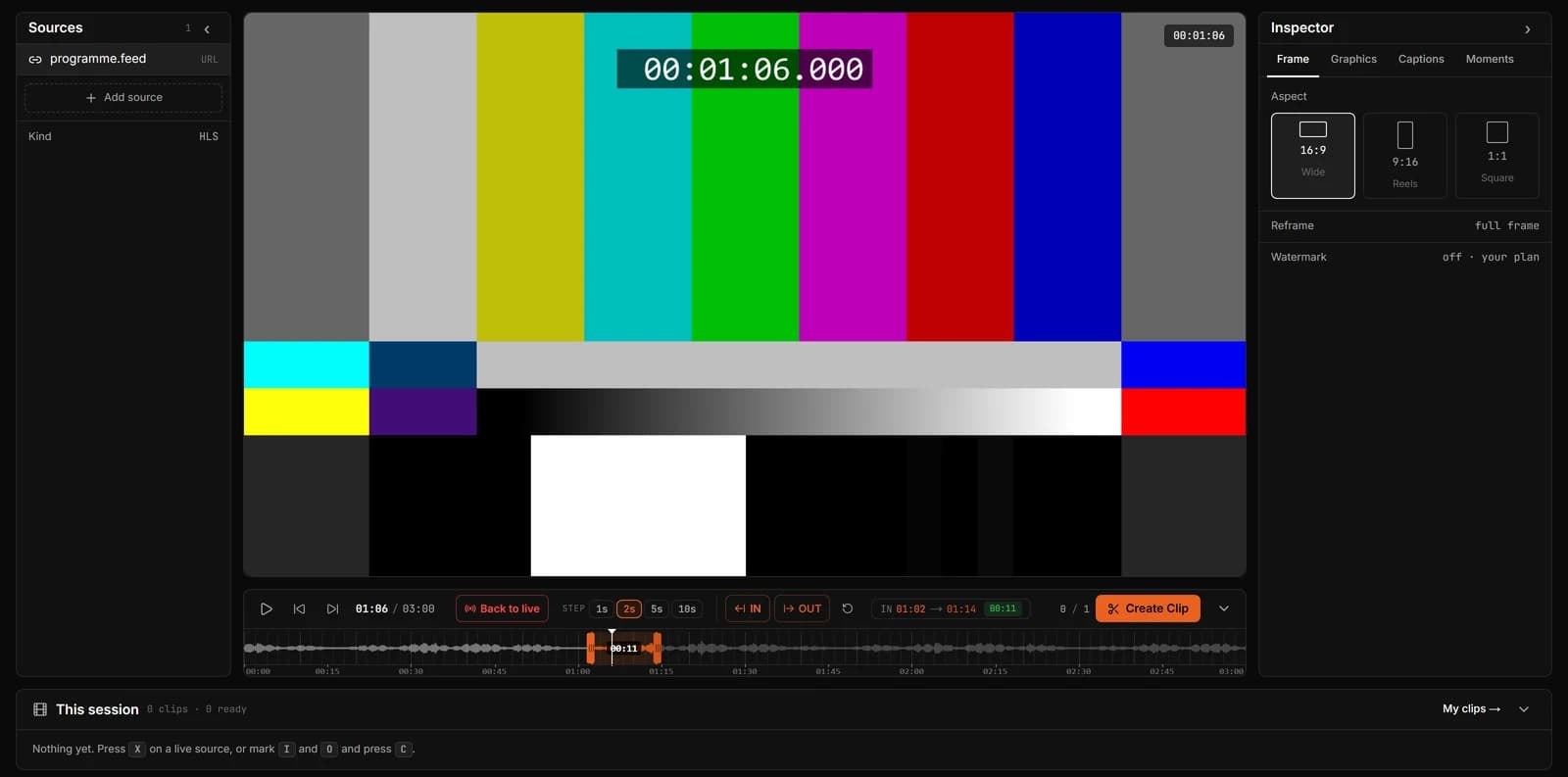
Clip a Twitch stream in three steps
- Step 1
Paste the channel link
Use the channel URL, like twitch.tv/name, while the streamer is live. ClipLive finds the stream and starts playing it.
- Step 2
Mark the moment
Press I at the start and O at the end, using the waveform to see where the noise is. Or press X to take the last 15, 30 or 60 seconds.
- Step 3
Frame it and export
Pick 9:16 for vertical, 1:1 or 16:9. Slide the crop to keep the action in frame, then create the clip and download the MP4.
Why clip Twitch live instead of from the VOD
A Twitch moment is worth most in the minutes after it happens, while chat and the streamer are still reacting. Clipping from the VOD means waiting for the stream to end, finding the moment in hours of footage, and posting long after everyone has moved on.
ClipLive plays the live stream with its recent seconds ready to cut, so you can have the clip exported while the stream is still running.
- Works with any live twitch.tv channel link
- Waveform timeline, so spikes in sound are easy to find
- Clip Last on one key: X takes the last 30 seconds
- Vertical, square and wide from the same mark
Questions
Do I need to be the streamer?
No. You can paste any live Twitch channel link. Only clip and post streams you have the right to share, and follow the streamer’s and Twitch’s rules on reposting.
Does it work on a VOD or a past broadcast?
ClipLive is built for live streams. For recorded video, upload the file (up to 500 MB and 10 minutes) and clip it the same way.
How long can a Twitch clip be?
Up to 60 seconds on the free plan, 5 minutes on Starter and 10 minutes on Pro.
Is there a watermark?
Free clips carry a small ClipLive watermark. Paid plans export without it.
Paste a live Twitch link and clip your first moment.
Streaming yourself? Clip from OBS with a stream key